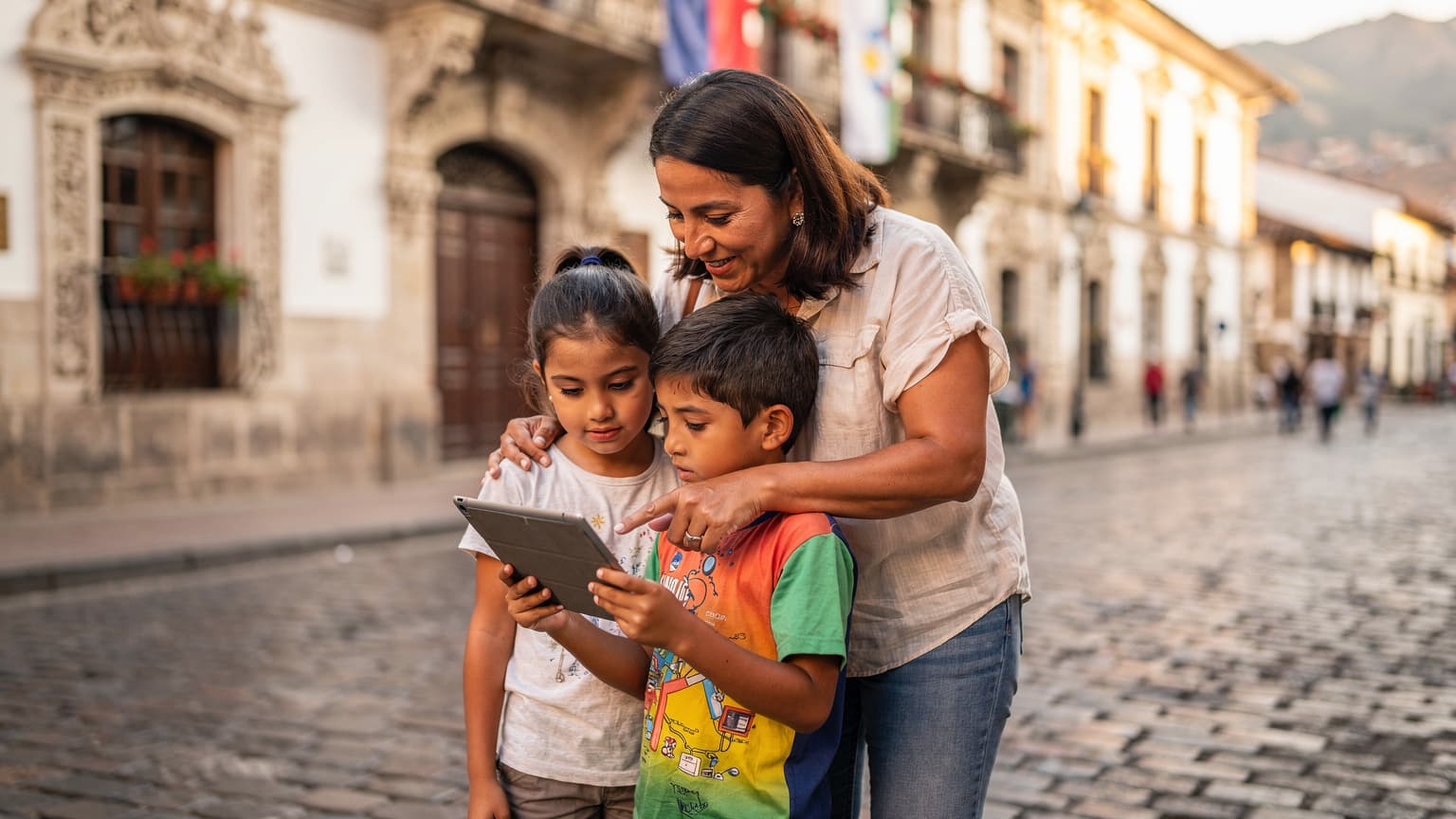

Cuenca Expat Life: Connectivity Challenges and the eSIM Solution
Ah, Cuenca. The "Garden City" of Ecuador, with its stunning colonial architecture, temperate climate, and a vibrant expat community that makes it feel like home, even when you're thousands of miles away. As a seasoned family travel planner (with 30 countries under my belt with kids aged 4-12, I've seen it all, trust me), I can tell you that moving abroad, especially with children, is a monumental task. The to-do list seems endless, from school registrations and visa paperwork to finding a decent pediatrician. Amidst all this, ensuring your family stays connected often falls by the wayside until you're staring at an exorbitant roaming bill or desperately searching for a café with reliable Wi-Fi.
My biggest fear, honestly, isn't just getting lost myself, it's my kids losing connection. Imagine trying to coordinate a family meetup at the Parque de la Madre playground when your phone decides to play dead, or worse, one of the kids wanders off at the Feria Libre market and can't call. Connectivity isn't a luxury, it's a lifeline. This is where eSIM technology steps in as a true lifesaver for expat families in Cuenca. It bypasses the frustrating hunt for physical SIM cards, which often means navigating language barriers and endless paperwork just to get a basic data plan. With eSIM, you can activate a local plan directly from your phone, often before you even land at Mariscal La Mar International Airport (or after a long, winding bus journey from Guayaquil, which, speaking from experience, can be quite the adventure with two kids and a motion-sickness bag).
The beauty of eSIM for expat families lies in its simplicity. No more fumbling with tiny trays and worrying about losing your home SIM card. You can have your home line (for banking and school calls) and an Ecuador data plan active simultaneously, switching between them with a few taps. This is especially crucial for managing kids' devices. My kids' iPads, for instance, are their lifelines for entertainment on flights and long car rides to places like El Cajas National Park. Pre-loading apps like Disney+ or educational games before we leave home is a must, but having an active data connection means they can stream new content or update their Roblox accounts on the fly (and yes, that's often the difference between a peaceful afternoon and a full-blown meltdown).
Initial Connectivity Upon Arrival in Cuenca
The moment you step off the plane in Cuenca, you'll want to be connected. Not just for calling a taxi or confirming your AirBnB, but for reassuring grandparents back home that you've arrived safely. Traditional SIM cards mean finding a store, waiting in line, and often dealing with a sales associate who may not understand "I need 20GB for two iPads and parental controls on my son's phone." With an eSIM for Ecuador, you can purchase and activate your plan days or even weeks before your departure. This means as soon as your plane touches down, your phone (and critically, your kids' devices if you've set them up) will automatically connect to a local network.
This pre-arrival activation is particularly useful when you're wrangling luggage, jet-lagged children, and navigating a new airport. One less thing to worry about means more brainpower for finding that elusive snack my daughter insists she needs immediately. Plus, having data from the get-go allows you to use essential apps like Google Maps (for that first taxi ride to your new home in El Centro or Turi) and WhatsApp (the primary communication tool in Ecuador) without relying on spotty airport Wi-Fi.
Daily Life Benefits for Expat Families
Living in Cuenca means adapting to a new rhythm. From navigating the local bus system (the "tranvía" is great, but sometimes a bus is necessary) to finding the best deals at Mercado 10 de Agosto, having constant connectivity is key. For expat parents, this translates into:
- Seamless communication with schools: Many international schools in Cuenca use apps like ClassDojo or internal portals for communication.
- Staying in touch with local friends: WhatsApp groups for playdates, potlucks, and emergency contacts are essential.
- Managing finances: Banking apps, sending money home, or checking local exchange rates.
- Kids' entertainment: Ensuring those vital iPhone 17 eSIM Abroad: Quick Fixes for New Device Activation (2026) are working for streaming during downtime at a café or on a school trip.
- Navigation: Getting around Cuenca, even after you know it well, sometimes requires a quick map check, especially if you're exploring a new neighborhood like Puertas del Sol.
And let's not forget the pure joy of being able to send a quick photo of the kids enjoying an 'helado de paila' to your family back home without worrying about data charges. It’s these small, everyday connections that make expat life feel less isolating and more connected.
Choosing the Right eSIM Plan for Your Family's Needs
Selecting an eSIM plan isn't a one-size-fits-all situation, especially for a family. My primary concern is always: will it cover two kids streaming Disney+ on a rainy Sunday, plus my own extensive map-checking and WhatsApp usage? (The answer is usually 'more data than you think'). For expats in Cuenca, the choice often comes down to balancing data volume, validity period, and cost.
When I'm comparing plans, I look for a few key things:
- Data allowance: This is paramount. A family of four, with two kids who love YouTube Kids and Roblox, will chew through data. I typically budget for a minimum of 50GB per month for the family, often more if we don't have consistent home Wi-Fi or if the kids are doing online schooling.
- Validity period: For long-term expat living, you'll want plans that can be topped up easily or offer longer validity, perhaps 30 days or even longer if available.
- Coverage: While Cuenca itself generally has good coverage, if you plan weekend trips to nearby towns like Gualaceo or Chordeleg, or even further afield to Montañita, you need a plan that offers broad national coverage.
Most eSIM providers for Ecuador offer various packages, from small bundles for short trips to larger plans designed for longer stays. It's smart to start with a generous plan for the first month or two, then adjust as you get a feel for your family's actual data consumption. Remember, it's always better to have a bit too much data than not enough, especially when a child's entertainment hinges on it.
| Ecuador eSIM Plan Type | Ideal For | Typical Data Range | Key Considerations |
|---|---|---|---|
| Short-Term Tourist | Vacations, initial arrival | 1GB - 10GB | Lower cost, shorter validity (7-15 days), easy top-up for extensions. |
| Mid-Term Expat Starter | First 1-3 months of settling in | 20GB - 50GB | Good balance of data and validity (30 days), allows for heavy initial usage. |
| Long-Term Expat Family | Ongoing monthly use, multiple devices | 50GB - 100GB+ | Higher data, often renewable monthly, look for multi-device compatibility. |
| Regional Data Plan | Travel beyond Ecuador to Colombia/Peru | Varies by region | Convenient for cross-border trips, may be slightly more expensive per GB than local. |
Data Plan Sizing for Kid Devices
Let's be real: kids' devices are data hungry. My daughter's iPad, running Disney+ and Minecraft, can easily consume 5-10GB in a week if left unchecked. My son's Nintendo Switch, if he's playing online games like Fortnite or downloading updates, is another significant drain. When I say "data plan sized for 2 kids streaming Disney+", I'm not kidding. A single 2-hour movie can use 1-3GB depending on resolution. Multiply that by two kids, multiple times a week, plus their other apps, and you're looking at a substantial chunk of data.
This is where the flexibility of an eSIM truly shines. You can often buy a larger family data bundle for your primary phone and then use its hotspot feature to connect the kids' iPads or Switch. Alternatively, some parents opt for a separate, smaller eSIM profile for a dedicated kid's device, especially if it's an older iPhone or iPad that supports eSIM. This allows for more granular control over their data usage, which is a big win for managing screen time and preventing unexpected overages.
Unlimited Data Options for Expat Families
While "unlimited" data plans are enticing, always read the fine print. Often, these plans come with a fair usage policy that throttles speeds after a certain threshold (e.g., 50GB or 100GB). For a family constantly streaming or engaging in video calls with family back home, even a throttled speed can be frustrating. However, if your usage is more moderate, or if you primarily rely on home Wi-Fi and only use mobile data for occasional outings, an unlimited plan can offer peace of mind. For an expat family, it's a good idea to consider your total monthly data needs across all devices, including any potential work-from-home requirements, before committing to an unlimited plan.
Activating Your eSIM in Cuenca: A Step-by-Step Guide
Activating an eSIM is surprisingly straightforward, a process I've honed over many international moves. It typically takes less time than making a cup of Ecuadorian coffee, which is saying something. Here's how to get your family connected in Cuenca:
1. Purchase Your eSIM Plan
Before you even pack your bags (or at least before you leave your home country), visit a reputable eSIM provider's website. You'll browse available plans for Ecuador (eSIM Ecuador) and select one that fits your family's data needs and length of stay. I always recommend going with a slightly larger data package than you think you'll need for the first month, just to be safe. You'll pay online, and usually, within minutes, you'll receive an email with a QR code or manual activation details.
- Choose your plan: Select a data package suitable for your family's estimated usage. Consider plans with at least 20-30GB for a family's initial month.
- Make your purchase: Complete the secure online payment process.
- Receive activation details: Look for an email containing your eSIM QR code or manual installation instructions. Keep this email accessible, perhaps by printing it or saving it to a cloud drive.
Installation Process: Android and iOS
The installation process is similar for both Android and iOS devices, which is great when you're managing multiple family phones. It's usually as simple as scanning a QR code.
- Connect to Wi-Fi: Ensure your device is connected to a stable Wi-Fi network (your home Wi-Fi before you leave, or airport Wi-Fi if you're activating upon arrival).
- Access eSIM settings:
For iPhone: Go to Settings > Cellular (or Mobile Data) > Add eSIM.
For Android: Go to Settings > Network & Internet > SIMs > Add more (or a similar path, as Android interfaces vary slightly). - Scan the QR code: Use your phone's camera to scan the QR code provided in your purchase email. If you can't scan, there's usually an option for manual entry.
- Label your eSIM: This is crucial for organization, especially when you have multiple lines. Label it "Ecuador Data" or "Cuenca Family Plan."
- Set as primary for data: Make sure your new eSIM is set as the primary line for mobile data. You can keep your home SIM active for calls and texts if you wish, or disable it entirely to avoid roaming charges.
- Restart your device (optional but recommended): Sometimes a quick restart helps the phone fully register the new network settings.
Network Selection and Data Roaming Settings
Once your eSIM is installed, your phone should automatically connect to the strongest local network. In Cuenca, popular carriers include Claro and Movistar. However, it's always good to double-check your settings:
- Automatic Network Selection: Ensure this is enabled in your cellular settings. This allows your phone to automatically switch between available networks for the best signal.
- Data Roaming: For your new eSIM profile, ensure data roaming is ON if prompted, as some eSIMs operate by roaming onto local networks (though without the traditional roaming fees). For your home SIM, ensure data roaming is OFF to prevent accidental charges.
- Preferred Network Type: You can usually select your preferred network type (4G/LTE, 5G if available). For general use and streaming, 4G/LTE is perfectly sufficient and often more stable.
Managing Multiple Devices and Parental Controls with eSIM
This is where my "weary parent humour" kicks in. Managing screen time and ensuring kids don't stumble upon inappropriate content is a full-time job. With eSIM, you gain some powerful tools to help.
Connecting Kids' Devices to Your eSIM
The easiest way to get your kids' iPads, Kindles, or even their friend's phone connected is through your primary phone's personal hotspot. This effectively shares your eSIM data plan. It's fantastic for road trips, waiting at appointments, or when the Wi-Fi at a friend's house in El Centro isn't cutting it.
Steps to Use Personal Hotspot:
- Activate Hotspot: On your main phone (with the active eSIM), go to Settings > Personal Hotspot (iOS) or Network & Internet > Hotspot & Tethering (Android) and turn it on.
- Set Password: Create a strong, memorable password for your hotspot.
- Connect Kids' Devices: On the kids' devices, go to Wi-Fi settings, find your phone's hotspot name, and enter the password.
The downside? It can drain your phone battery quickly, so always carry a portable charger. My Anker power bank is practically a fifth member of our family when we travel.
Parental Control Features on eSIM Lines
While an eSIM itself doesn't offer inherent parental controls, it enables them through the operating system and dedicated apps. If you're using your phone as a hotspot, you have direct control over when their devices are connected. You can turn the hotspot on and off as needed, effectively cutting off their data access.
For more robust control, consider these options:
- Operating System Controls: Both iOS (Screen Time) and Android (Digital Wellbeing/Family Link) offer extensive parental controls. You can set time limits for specific apps, schedule downtime, and restrict content. These controls work regardless of whether the device is on Wi-Fi or connected via your hotspot.
- Third-Party Apps: Apps like Bark, Qustodio, or OurPact can be installed on kids' devices to monitor activity, filter content, and enforce screen time limits. Crucially, these apps often require a constant internet connection to function properly, so your reliable eSIM data (via hotspot) ensures they remain effective. This is particularly important for those moments when you need a little digital peace, like during a long family dinner at a restaurant in Gualaceo.
- Router-Level Controls: If your kids have their own eSIM-enabled devices, some eSIM providers offer settings through their online portal to block certain websites or categories of content, akin to router-level parental controls. Always check with your chosen provider.
The key here is that the eSIM provides the underlying connectivity that makes these parental control features actually work while out and about. Without data, those carefully configured Screen Time limits on their iPad become meaningless when they're simply enjoying a pre-downloaded movie (which, honestly, isn't always a bad thing).
Local eSIM Providers in Cuenca, 2026: What to Expect
While a global eSIM provider is excellent for initial arrival and flexibility, many expats eventually consider local options for potentially better long-term rates or specific bundles. In Cuenca, the main players for mobile connectivity are Claro, Movistar, and CNT. As of 2026, all are increasingly embracing eSIM technology, though the ease of access can vary.
| Local Ecuadorian Carrier | eSIM Availability | Typical Monthly Data (2026) | Network Coverage in Cuenca & Beyond | Pros for Expats |
|---|---|---|---|---|
| Claro | Widespread, available in most main stores | 20GB - 100GB+ | Excellent in urban areas (Cuenca), generally strong national coverage. | Largest network, good speeds, competitive prices, often has promotions. |
| Movistar | Growing, available in major service centers | 15GB - 80GB | Very good in Cuenca and major towns, decent rural coverage. | Reliable, good customer service, attractive bundled packages. |
| CNT | Limited, primarily for existing customers | 10GB - 50GB | Decent in Cuenca, can be spottier in very remote areas. | Government-owned, can be cost-effective for basic plans. |
Global vs. Local eSIMs for Long-Term Stay
For an expat living in Cuenca, the choice between a global eSIM provider (like the one you might use for your initial arrival) and a local Ecuadorian carrier's eSIM depends on your priorities. A global provider offers incredible flexibility, especially if you plan to travel frequently outside Ecuador (say, to Peru or Colombia for a family vacation). Their plans often cover multiple countries, making them ideal for the multi-country traveler (I've found eSIM Europe vs. Local SIMs: My 2026 Reality Check for Multi-Country Travel to be a great resource for this kind of comparison). However, local carriers *might* offer slightly better per-GB rates for very high data usage, or specific bundles that include local calls and SMS more prominently.
My strategy is usually to start with a flexible global eSIM for the first month or two. This allows me to hit the ground running, get settled, and then investigate local options without pressure. By then, I have a clearer idea of our family's actual data needs and the quality of local network coverage in our specific Cuenca neighborhood.
Purchasing a Local eSIM: Expat Specifics
If you decide to go with a local carrier like Claro or Movistar for an eSIM, be prepared for a slightly different process than a global provider. You'll likely need to visit a physical store in Cuenca, such as a main Claro store in Mall del Río or a Movistar branch in El Centro. You'll typically need your passport and potentially your Ecuadorian visa or Cedula (ID card) for registration. The good news is, once registered, topping up or changing plans can often be done through their apps or online portals, making daily management easy.
Remember, always ask about fair usage policies, data rollover options, and any specific bundles for international calls if that's important to your family. And don't be afraid to bring a Spanish-speaking friend if your language skills aren't quite up to negotiating data plans just yet!
Emergency Contacts and Essential Apps: Ensuring Offline Access
As a parent, emergency preparedness is always top of mind. While an eSIM ensures you're connected for calls and data, what happens if there's a power outage, or you're deep in the Amazonian part of Ecuador where signal is non-existent? Planning for offline access is crucial.
Storing Emergency Numbers and Information
Beyond having a working phone, ensure all vital emergency contacts are saved in multiple places:
- Phone contacts: Clearly labeled (e.g., "Emergency, Police Cuenca," "Pediatrician Dr. Garcia").
- Physical list: A laminated card in your wallet and a copy near your landline (if you have one). Include: Police (911), Fire Department (911), Ambulance (911), your country's embassy/consulate in Ecuador, your family doctor in Cuenca, and a trusted local friend.
- Medical info: Carry a card with any allergies, medications, and medical conditions for all family members.
Remember, even with a great eSIM, having redundancy for critical information is just good parenting.
Essential Apps with Offline Mode for Expat Families
Before any major trip or even just for daily life in Cuenca, I make sure certain apps are pre-loaded and, where possible, configured for offline use. This is especially important for the kids' devices too, because a bored child with no Wi-Fi is a recipe for disaster.
- Offline Maps (Google Maps, Maps.me): Download the entire Cuenca region (and surrounding areas you plan to visit, like Ingapirca) to your phone. This means you can still navigate even without a data signal. My kids use this on their iPads to track our progress on long bus rides, which is a surprisingly effective distraction!
- Translators (Google Translate, DeepL): Download Spanish language packs. This allows you to translate phrases even without an internet connection, which is invaluable for unexpected conversations at the market or with a doctor.
- Communication (WhatsApp): While WhatsApp primarily needs data, ensure it's set up and all critical contacts are favorited. In an emergency, if you briefly get a signal, you'll want to send that message quickly.
- Entertainment (Disney+, Netflix, Audible, Kindle): Pre-download movies, shows, audiobooks, and e-books. This is the ultimate weapon against boredom during travel delays or power outages. My son's iPad always has a fresh batch of Star Wars episodes downloaded.
- Banking Apps: While they need internet for transactions, ensure they are installed and you know your login details.
- Local Cuenca Apps: Look for any local transport apps or city guides that might offer offline content.
For those times when you're truly off the grid, like exploring a remote part of El Cajas National Park, having these apps pre-loaded and ready in offline mode is a game-changer. It means the kids can still entertain themselves, and you can still navigate, even when your eSIM is temporarily out of range.
Staying Connected Beyond Cuenca: Day Trips and Longer Travel
One of the joys of living in Cuenca is its proximity to so many incredible places. From the cloud forests of El Cajas to the Pacific coast, Ecuador is a country begging to be explored. Your eSIM is perfectly suited for these adventures, often providing seamless connectivity where traditional SIMs might fall short.
Connectivity Inside Theme Parks and Cruise Ships
While Ecuador isn't famous for theme parks, if your travels take you to other parts of South America or even a cruise from Guayaquil, eSIMs are incredibly useful. Inside theme parks, cellular networks can get congested, but an eSIM often gives you access to multiple local networks, increasing your chances of a stable connection. On cruise ships, dedicated maritime satellite internet is typically very expensive. However, an eSIM can be activated for ports of call, giving you affordable data the moment you step off the ship in, say, Manta or Salinas, which is far better than relying on the ship's Wi-Fi. (I've been on cruises where the kids tried to download games only to rack up a bill the size of our monthly rent, never again.)
For example, if you're taking a family trip to Colombia, you can easily add a Colombia eSIM plan to your existing phone, keeping your Ecuador plan active for when you return, all without swapping physical cards.
Regional eSIMs for South American Travel
Many global eSIM providers offer regional plans that cover multiple countries in South America. This is ideal for expat families who plan to explore beyond Ecuador's borders. Instead of buying a new eSIM for Colombia, then another for Peru, you can often get a single plan that covers all three, simplifying your data management significantly. This is a huge stress reliever when you're coordinating flights, hotels, and two excited kids across multiple countries.
Always check the specific countries included and the data allowance. These regional plans can be slightly more expensive per GB than a single-country plan, but the convenience for multi-country travel is often worth the premium. It's a small price to pay for not having to worry about connectivity when you're trying to find that perfect ceviche stand in Lima or navigating the bustling streets of Bogotá with a stroller.
Troubleshooting Common eSIM Issues in Expat Life
Even with the best planning, sometimes technology throws a curveball. Here are a few common eSIM issues expats might encounter in Cuenca and how to fix them, drawing from my own experience with various glitches (usually involving a child's desperate need for YouTube).
No Service or Slow Data Speeds
This is the most common and often the most frustrating issue. Before you panic, try these steps:
- Restart Your Phone: The classic IT solution, but it often works wonders.
- Check Network Selection: Go to your phone's cellular settings and ensure "Automatic Network Selection" is enabled. If it is, try manually selecting a different local network (e.g., switch from Claro to Movistar if both are supported by your eSIM provider).
- Verify Data Roaming: For your eSIM profile, ensure data roaming is turned ON. Many eSIMs operate by roaming onto local networks.
- Check Data Limits: Have you used all your data? Many eSIM apps or websites allow you to check your remaining balance. If you're out, it's time to top up.
- APN Settings: Rarely needed for modern eSIMs, but sometimes checking or resetting your Access Point Name (APN) settings can resolve connectivity issues. Your eSIM provider's support page will have the correct APN.
Remember, connectivity inside large concrete buildings or in very remote areas of the Andes can be challenging regardless of your carrier, so temper your expectations slightly. Sometimes, stepping outside or moving to a higher elevation is all it takes.
eSIM Not Activating During Initial Setup
If you've followed the steps and your eSIM still isn't activating, here are some troubleshooting tips:
- Stable Wi-Fi: Ensure you have a strong, stable Wi-Fi connection during activation. A weak signal can interrupt the download of the eSIM profile.
- QR Code Clarity: Make sure the QR code isn't blurry or damaged. Try scanning it in good light. If scanning fails, try manual entry.
- Device Compatibility: Double-check that your phone model is eSIM compatible. While most newer phones are (iPhone 15 eSIM: Global Connectivity for 2026, Engineered for Travel, for instance), older models may not be.
- Contact Support: If all else fails, reach out to your eSIM provider's customer support. They can often re-send the QR code or walk you through specific device settings. Many providers offer 24/7 chat support, which is a blessing when you're in a different time zone.
One time, my son's iPad mini (an older model that surprisingly supported eSIM) wouldn't activate, and it turned out the QR code email had gone to spam. A quick retrieve, and he was back to downloading more games.
Parental Control App Glitches
Parental control apps, while invaluable, can sometimes be finicky. If you're having trouble with them:
- Check Data Connection: Many parental control features rely on an active internet connection to communicate with their servers. Ensure the child's device (or your hotspot) has data.
- App Updates: Make sure both the parent and child's versions of the app are up to date.
- Device Settings: Sometimes, iOS or Android updates can reset permissions. Go into the device's settings and ensure the parental control app has all necessary permissions (e.g., screen time access, location services).
- Reinstall: As a last resort, try uninstalling and reinstalling the parental control app on the child's device.
It's an ongoing battle, isn't it? But with a reliable eSIM, at least you know the underlying connectivity isn't the problem.
Cuenca Connectivity's Future: eSIM Trends for Expats
The digital landscape is always evolving, and Cuenca's connectivity for expats is no exception. As 2026 progresses, we're seeing some exciting trends in eSIM technology that will further simplify life for families abroad.
5G Expansion and Enhanced Coverage
While Cuenca already has good 4G/LTE coverage, the expansion of 5G is slowly but surely making its way across Ecuador. For expat families, this means even faster download and upload speeds, which is fantastic for video calls with family, online learning, and, yes, even higher-quality streaming for the kids. As 5G becomes more prevalent, eSIMs will seamlessly connect to these faster networks, ensuring your family stays at the forefront of mobile connectivity.
Pro-Tip for ExpatsWhen you're settling into your new Cuenca home, always check local cellular coverage maps for the specific neighborhood. While general city coverage is good, micro-zones can sometimes have weaker signals, and knowing this beforehand helps set expectations.
Increased eSIM Device Compatibility
Every year, more devices are being manufactured with eSIM capabilities. Beyond smartphones, we're seeing eSIMs in smartwatches, tablets, and even some laptops. This means that in the future, you could potentially manage all your family's connected devices, from your phone to your child's educational tablet, with a single, unified eSIM account. This simplifies billing, data management, and parental controls across the board, making expat life just a little bit easier.
Integrated Family Data Plans
As eSIM technology matures, I anticipate more providers will offer truly integrated family data plans. Imagine a single eSIM profile that allows you to allocate data limits to each family member's device, monitor usage from a central dashboard, and even apply content filters directly at the network level. This would be a dream come true for many expat parents, simplifying the complexities of managing multiple digital lives.
For now, using your phone as a hotspot and relying on OS-level parental controls remains the most effective strategy. But the future of eSIM connectivity for expat families in Cuenca is bright, promising even more seamless, controlled, and cost-effective ways to stay connected to your new home and the world beyond.
Frequently Asked Questions
Can I use my existing phone number with an eSIM in Cuenca?
Yes, with an eSIM, you can often keep your home phone number active on your physical SIM while using the eSIM for local data in Cuenca. This allows you to receive calls and texts to your primary number while benefiting from affordable local data rates, ensuring you don't miss important communications from back home.
What happens if my eSIM data runs out in Cuenca?
If your eSIM data runs out, you will simply lose internet connectivity. Most eSIM providers allow for easy top-ups directly through their app or website. You can purchase additional data bundles, often with instant activation, to restore your service. It's a quick process, usually taking only a few minutes.
Is eSIM reliable for video calls with family back home from Cuenca?
Absolutely. With a good data plan (20GB+ monthly for regular use) and decent 4G/LTE coverage from your eSIM provider in Cuenca, video calls on apps like WhatsApp, Zoom, or FaceTime are generally very reliable and clear. I regularly video chat with my parents without issue, even with the kids occasionally jumping in.
How can I monitor my children's data usage on their devices in Cuenca?
If your children's devices are connected via your phone's personal hotspot, you can monitor their data consumption directly through your phone's settings. For more granular control or if they have their own eSIMs, use built-in parental control features like iOS Screen Time or Android Family Link, which provide detailed usage reports and allow you to set limits.
Can I purchase an eSIM for Ecuador while already in Cuenca?
Yes, you can purchase an eSIM for Ecuador at any time, even after you've arrived in Cuenca. The process remains the same: select a plan online, receive a QR code via email, and activate it on your device using a Wi-Fi connection. However, activating before arrival ensures immediate connectivity upon landing.
Are there any specific areas in Cuenca where eSIM coverage might be weak?
While Cuenca generally boasts strong 4G/LTE coverage from major carriers like Claro and Movistar, connectivity can occasionally be weaker in very dense historic buildings, deep inside shopping malls like Mall del Río, or in some of the more remote, hilly outskirts of the city. For general daily life, coverage is excellent.